Language Learning: Pingo AI
- 4.7
- Rating
- 5.00M
- Installs
- Free
- Price

 Analysis by App-foxy
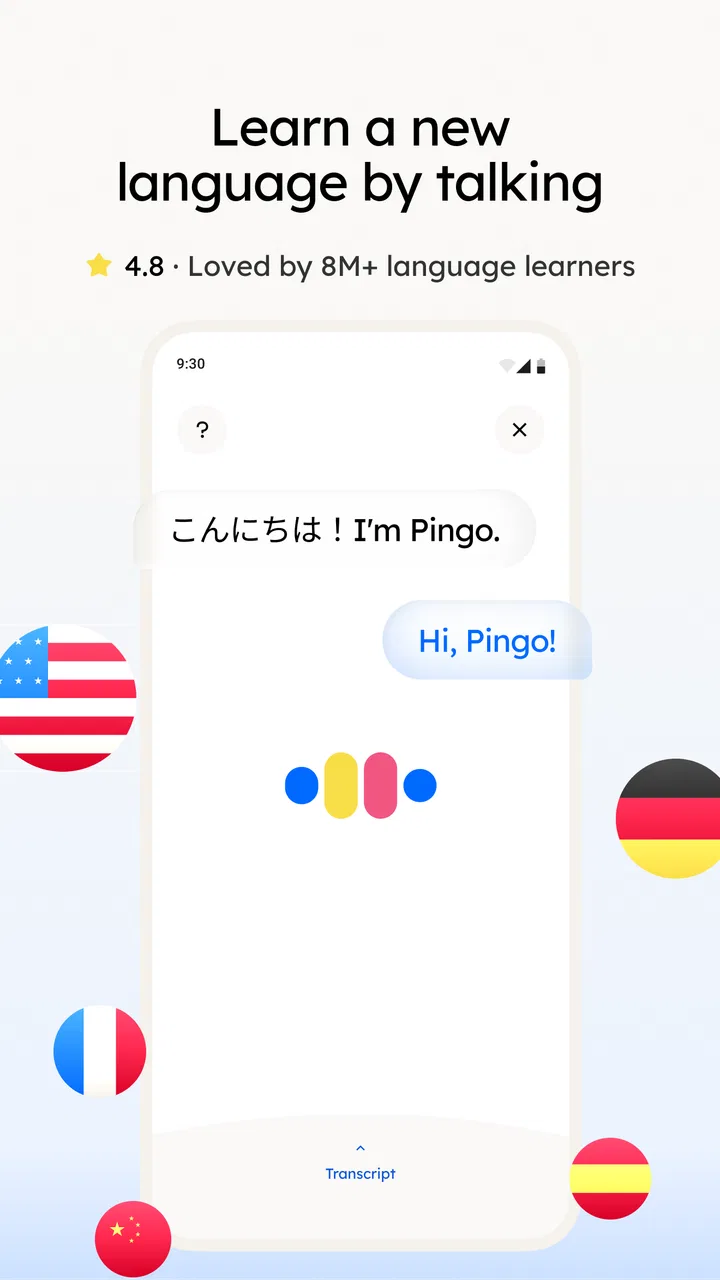
I found Language Learning: Pingo AI most interesting when I treated it less like a traditional course and more like a language practice companion. Its purpose is clear: help me work toward speaking Korean, Spanish, English, French, and other languages through an AI-focused learning experience. That makes it appealing for someone who wants to practise regularly without arranging a lesson every time.
The app comes from Pingo AI, Inc., and it is listed as a free education app for everyone. It has reached over a million installs and holds a 4.8 average from around 91 thousand ratings, which suggests that many learners find the basic idea useful. I still think the important question is not whether it looks popular, but whether its style of practice suits the way you learn, especially if reading, tapping, listening, or speaking feels different from one person to another.
How clearly the app presents language practice
I find the app’s clearest strength is how it frames language learning around trying to communicate, rather than only reviewing isolated words. In this section, I look at why that emphasis can make practice feel more approachable and what it asks of a learner in return. The key distinction is whether you want a prompt to help you produce language, or a course that explains each step before you begin.
You May Also Like

 Blood Strike: 2.5 Anniversary
Blood Strike’s Loadouts Turn Every Drop Into a Tactical Gamble
A close look at Blood Strike’s custom loadouts: how fast access to signature weapons reshapes its battle royale rhythm, rewards preparation, and narrows the gap between fights.

 Pandora - Music & Podcasts
Pandora’s Music Is Easy to Start, but Harder to Recover
Pandora’s strength is its low-effort path from a seed to a station. Its weak spot is how much confidence it asks you to place in connection, setup, and quiet recovery.

 8 Ball Pool
 Is Built on Rivalries, Rematches, and Routine
A close look at the rivalries, rematches, shared routines, and unanswered safety questions that turn a quick pool match into a persistent mobile community.

 Samsung Music
’s Quiet Strength Is Playing What You Already Own
Its reach comes less from spectacle than from dependable access to a personal library. That simplicity is both the app’s strongest retention engine and its ceiling.

 AccuWeather: Weather Radar
AccuWeather Review: A Quick, Clear Forecast for Everyday Decisions
For everyday plans, the best forecast is the one you can understand quickly. AccuWeather makes rain timing, radar, and local conditions easy to act on, with a few trade-offs.

 Hill Climb Racing
Why Hill Climb Racing Still Turns Crashes Into One More Run
A tiny car, a bumpy hill and one more upgrade: Hill Climb Racing keeps resurfacing because its simple chaos makes every near-miss feel personal.
More From Our News Desk



Readable navigation for short study sessions
My first impression was that Pingo AI is easiest to appreciate in small sessions. The idea of opening an app, choosing a language, and getting into practice feels less intimidating than sitting down with a thick grammar book. That matters for beginners who may already feel overwhelmed by unfamiliar spelling, pronunciation, and sentence structure.
The strongest part of this approach is the conversational focus. Instead of making language learning feel entirely like memorising isolated lists, the app points me toward usable communication. I can imagine opening it before work, during a quiet break, or at home when I only have enough energy for a short exchange. That flexibility is more welcoming than a course that assumes every learner can study at the same time and for the same length.
For readability, I would recommend changing the phone’s text size or display settings before deciding whether the app is comfortable. The experience of any language tool depends heavily on how much text appears on screen and how easy it is to distinguish the target language from explanations. Learners dealing with small text, visual fatigue, or unfamiliar scripts should test a few lessons slowly rather than judging the whole product after a rushed first launch.
The app’s name and purpose are easy to understand, but language learning itself can become visually busy. A learner may be switching between a prompt, a translation, a correction, and a response. I found it more useful to pause after each exchange and read the correction carefully than to tap through quickly. That habit turns the interface into a learning aid instead of a stream of answers.
Why the AI format feels different from ordinary alternatives
Compared with flashcard-only apps, Pingo AI seems better suited to learners who need a reason to form a sentence rather than merely recognise a word. Compared with a live tutor, it is more available and less socially demanding, although it cannot replace the judgement, cultural explanation, and spontaneous adjustment of a skilled teacher. Compared with a fixed audio course, its conversational angle may feel more active, but learners who prefer a carefully sequenced textbook may find the freedom less reassuring.
That difference is important for people with different learning preferences. If you learn best by reading a rule, copying examples, and reviewing them in a strict order, a conventional course may remain the better foundation. If you learn by trying, making mistakes, and seeing how a phrase changes in context, Pingo AI is more likely to keep your attention.
One useful workflow is to use it after a structured lesson rather than instead of one. I might study a grammar point elsewhere, then use Pingo AI to attempt several everyday sentences with that pattern. This gives the app a clear job: active recall and practice. It also prevents the common mistake of expecting an AI conversation to supply the entire curriculum from beginner level to fluency.
Motor and sensory considerations during practice
Any app built around conversation and language input can place different demands on the learner. Reading requires visual attention, listening requires a reasonably clear audio environment, and responding may involve repeated tapping or speech. Pingo AI is therefore most comfortable when I can control my surroundings and take the time to respond without feeling rushed.
For someone with limited hand movement, repeated small controls can become tiring even when the learning content is good. I would use the operating system’s available interaction settings, larger touch targets where possible, and a stand or stable surface instead of holding the phone for a long session. Shorter practice blocks also make sense here; the goal is consistent language contact, not proving that I can stay on the screen for an hour.
Learners with hearing differences should think about whether the visual side of each activity gives enough support for their preferred method. I would not rely on audio alone when learning a new phrase. Writing down the sentence, checking its spelling, and repeating it visually can make the session more dependable. Conversely, someone with visual fatigue may benefit from listening and speaking practice, provided the surrounding environment is quiet enough.
Pronunciation practice deserves a realistic expectation. An AI tool can make speaking feel safer because there is less embarrassment than speaking to another person, but a learner should still listen critically. A response that seems understandable in the app may not prepare me for every accent, speaking speed, or noisy real-world conversation. I would use the app to build confidence, then occasionally test those phrases with human speakers or authentic media.
A non-obvious advantage is the lower social pressure. Some learners avoid speaking because they fear being corrected in front of another person. Practising privately can help them produce more language than they would in a classroom. The trade-off is that private practice can also hide habits. I would deliberately record difficult phrases for my own review or repeat them aloud several times instead of silently accepting a correction and moving on.
Using it in different situations
Pingo AI makes the most sense for people whose schedule changes from day to day. A commuter might use it before arriving at work, a traveller might practise useful phrases before a trip, and a student might use it to rehearse vocabulary from class. In each case, the benefit is not simply convenience; it is the chance to turn spare moments into active language production.
Imagine that I am preparing for a visit to Spain. Rather than opening the app without a plan, I would choose a narrow goal for the session: greeting someone, ordering food, asking for directions, or explaining a problem. I would attempt the phrases, note the corrections that keep appearing, and then repeat the corrected versions later that day. This workflow is more effective than chasing random topics because it connects practice to a real situation.
The same method works for Korean, English, French, or another supported language, but the difficulty will not be identical across languages. A learner starting with a familiar alphabet may feel immediate progress in reading, while someone beginning Korean may need more patience with script and sound patterns. I would separate “I can recognise this” from “I can say this naturally”; the app can support practice, but those are different achievements.
Situational access also includes emotional comfort. A beginner who feels self-conscious may prefer AI practice before joining a conversation group. Someone who needs accountability, however, may find a private app too easy to postpone. In that case, I would pair it with a calendar reminder, a study partner, or a weekly target. The tool can reduce friction, but it cannot create motivation on its own.
What the free model means for different learners
The app is free to install, which makes trying it relatively easy. That is helpful for families, casual learners, and people who want to see whether AI-based practice fits before committing to a course. There are in-app purchases ranging from $14.99 to $99.99 per item, so I would check exactly what is available at no cost and what requires payment before building a long-term study plan around a particular feature.
This pricing structure creates a practical accessibility question: a free starting point is valuable, but a learner should not assume that every useful part of the experience will remain free. I would spend the first sessions testing the core workflow rather than immediately deciding that the app must become my only learning resource. If the free experience already supports my routine, that is a good sign. If the parts I need are locked away, a library course, textbook, or another app may offer better value.
The age classification is Everyone, which makes the app broadly approachable. Still, the right learning method varies greatly by age and ability. Younger learners may need an adult to help choose realistic goals and explain corrections. Older learners may appreciate the private, repeatable practice but need to adjust text, sound, and interaction settings to reduce strain.
Barriers that can still interrupt learning
The biggest limitation is that AI convenience can give a false sense of completeness. Language learning includes pronunciation, listening under pressure, grammar, cultural expectations, and the ability to understand people who do not speak like a textbook. Pingo AI can be a useful part of that process, but I would not treat it as a substitute for human conversation, carefully written reference material, or exposure to natural media.
Another barrier is the need to evaluate corrections rather than accept every suggestion passively. A beginner may not know whether a phrase is formal, casual, regionally marked, or simply one of several possible answers. When a correction changes my sentence, I would ask myself what changed and why. Keeping a small notebook of recurring patterns is surprisingly useful because it turns one-off feedback into a personal reference.
There is also a concentration barrier. AI practice can feel engaging, but engagement is not the same as retention. I would avoid doing dozens of exchanges without review. A better rhythm is to practise a handful of phrases, close the app, and try to reproduce them later without looking. That extra recall step reveals whether I learned the language or merely recognised it on screen.
People who need formal assessment should be cautious about relying on this app alone. Preparing for an exam, professional interview, or regulated workplace requires knowing the exact format and standards involved. Pingo AI may help with rehearsal, but I would use official preparation materials for the assessment itself.
Likewise, advanced learners may eventually find the experience less demanding than real conversation. Once I can produce basic sentences comfortably, I need longer listening, more varied speakers, idioms, and opportunities to negotiate meaning. At that stage, a tutor, conversation exchange, graded reader, or authentic podcast may provide the challenge that an AI practice session does not.
My practical routine for getting more from it
I would begin by choosing one language and one concrete situation instead of sampling everything at once. For the first week, I might focus on introductions and daily routines. I would speak or type complete sentences, save the expressions that feel genuinely useful, and review them away from the app. This approach makes progress easier to notice and reduces the temptation to confuse novelty with learning.
My second tip is to use corrections as clues about personal weaknesses. If I repeatedly omit articles in English, mix up word order in French, or hesitate over a Korean ending, I would create a short review list and return to those patterns intentionally. The app becomes more valuable when I bring a question to it, rather than waiting for random practice to reveal everything.
My third tip is to separate private confidence-building from public communication. I would use Pingo AI to rehearse before a real conversation, but I would not postpone human interaction indefinitely. After practising a scenario, I would try it with a friend, tutor, colleague, or language partner. That is where I learn whether I can understand a reply I did not predict.
The current version is 4.2.1 and requires Android 8.0 or later. For someone using an older phone, that requirement is worth checking before planning a study routine. On a compatible device, I would also keep the app updated when possible, because language tools can change in ways that affect navigation and the feel of practice.
Who should choose it, and who should look elsewhere
I would recommend Pingo AI to a beginner who wants a gentle way to start speaking, a traveller preparing practical phrases, or a busy learner who needs flexible practice without scheduling another person. It is also a sensible choice for someone who feels anxious about making mistakes aloud. The private setting can lower the emotional barrier enough to get a real study habit started.
I would be less enthusiastic about using it as the only resource for a serious long-term programme. Learners who need a fixed syllabus, detailed grammar explanations, recognised testing preparation, or regular accountability should add another resource or choose a more structured option. Advanced speakers seeking unpredictable, natural conversation may also outgrow it unless they use it only for targeted rehearsal.
For learners with visual, hearing, motor, or attention-related needs, I would judge it through a short personal trial rather than a general promise of accessibility. Adjust the device, try reading and listening separately, and notice whether responding feels tiring. The app’s broad age classification does not automatically mean that every interaction will suit every ability, but its flexible practice concept gives many people room to adapt how they study.
My inclusive verdict
After using it as a practice companion, I see Pingo AI as a friendly entry point into speaking-focused language study rather than a complete school in your pocket. Its greatest strength is lowering the effort required to practise a phrase right now. That can matter more than an impressive lesson plan for someone who has repeatedly started and abandoned language learning.
I like that it can support different contexts: quiet private rehearsal, preparation for a trip, a follow-up to a textbook lesson, or a confidence-building step before human conversation. I also like that the free entry point lets people explore the method before paying, although the in-app purchase range means I would inspect the available options carefully.
My final judgement is positive, with boundaries. Use it to produce language, notice recurring mistakes, and prepare for real situations. Do not let convenient AI feedback replace human conversation, structured study, or critical thinking about corrections. If you approach it with that balance, the most inclusive feature is the freedom to practise at your own pace, while still recognising when another learning format will serve you better.
FAQs for Language Learning: Pingo AI
01What platforms is Pingo AI available on?
Pingo AI is available for both Android and iOS devices. You can find and download the app from the Google Play Store for Android users and the Apple App Store for iOS users. Ensure your device meets the minimum system requirements for optimal performance.
02Does Pingo AI offer a free version or trial?
Yes, Pingo AI offers a free version with limited features. Users can access basic language lessons and exercises. For a more comprehensive learning experience, including advanced lessons and personalized feedback, a subscription to the premium version is recommended.
03What languages can I learn with Pingo AI?
Pingo AI provides a wide range of languages to choose from, including popular ones like Spanish, French, German, Chinese, and Japanese. The app regularly updates its language library, so keep an eye out for new additions that might suit your learning goals.
04How does Pingo AI personalize the learning experience?
Pingo AI uses artificial intelligence to adapt to your learning style and pace. It tracks your progress and adjusts lessons accordingly, ensuring you focus on areas that need improvement. This personalized approach helps maximize efficiency and retention in language learning.
05Is Pingo AI suitable for beginners?
Absolutely, Pingo AI is designed for learners of all levels, including complete beginners. The app starts with foundational lessons and gradually increases in complexity. Interactive exercises and real-life scenario practices help beginners build confidence and proficiency over time.
Pros
- User-friendly interface for easy navigation.
- Wide variety of languages available.
- Customizable learning paths.
- Engaging interactive exercises.
- Offline mode for learning on the go.
Cons
- Requires constant internet for updates.
- Limited free content access.
- Occasional app crashes reported.
- Some languages lack depth in courses.
- In-app purchases can be pricey.

Language Learning: Pingo AI
Gallery